

Latest updates
What's new in kolum: the latest features and improvements, month by month.
September 2026
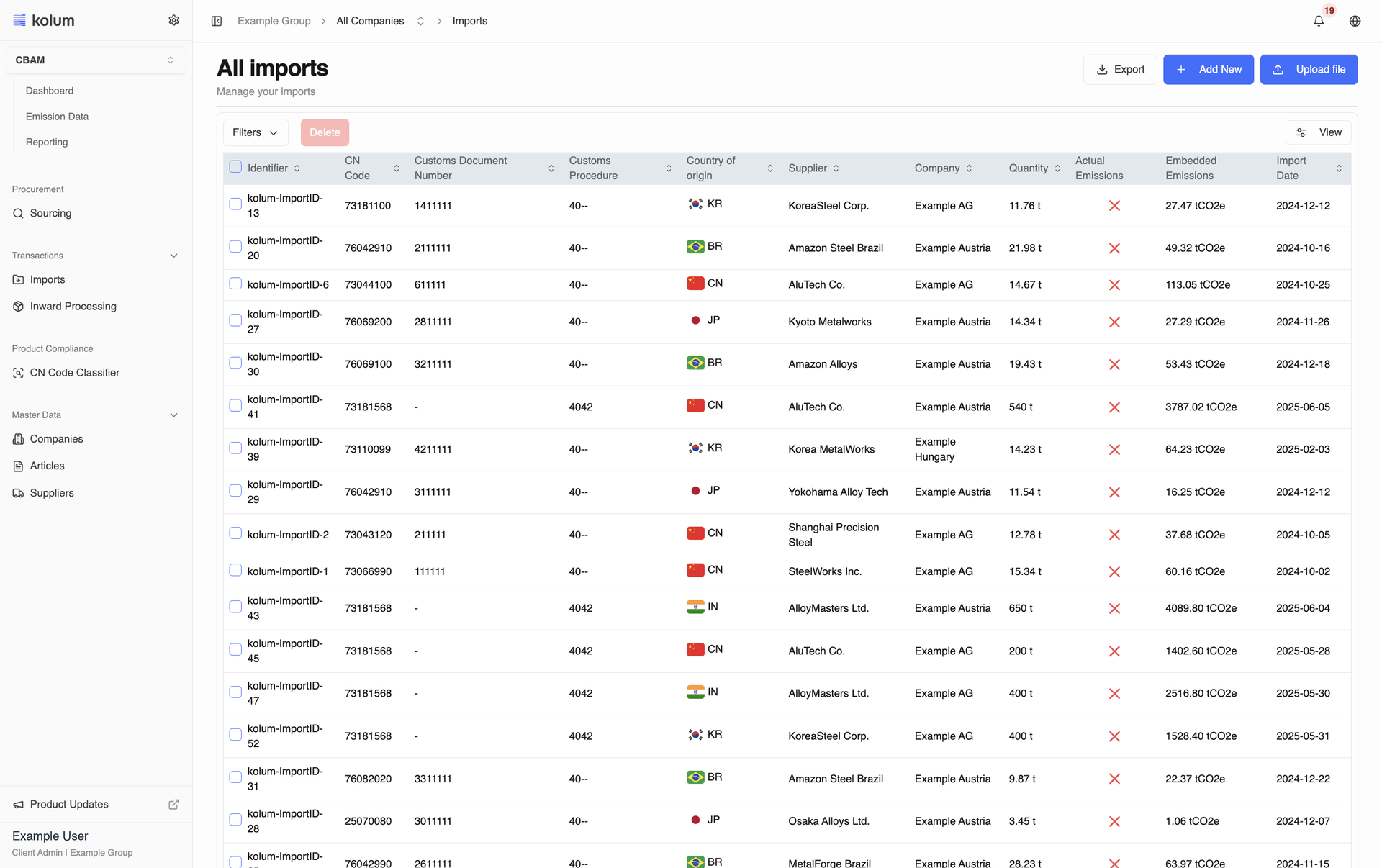
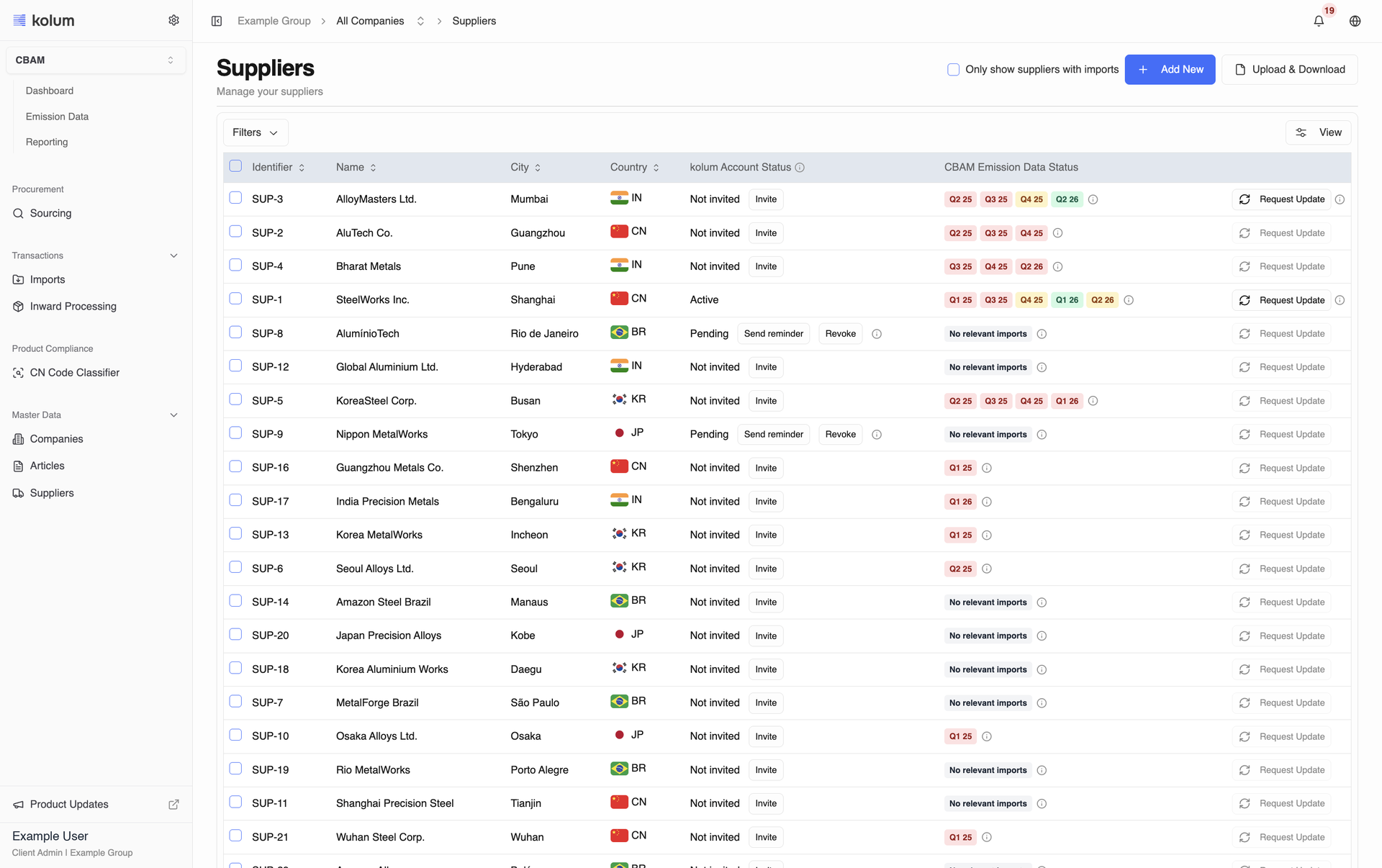
See where every supplier stands
The Suppliers list shows a kolum Account Status for every supplier (Not invited, Pending, Active, Invitation revoked, Invitation declined) with the fitting Invite, Send reminder, Reinvite or Revoke action right next to it. A CBAM Emission Data Status per reporting timeframe tells you whose emission data is still missing and flags suppliers without relevant imports.
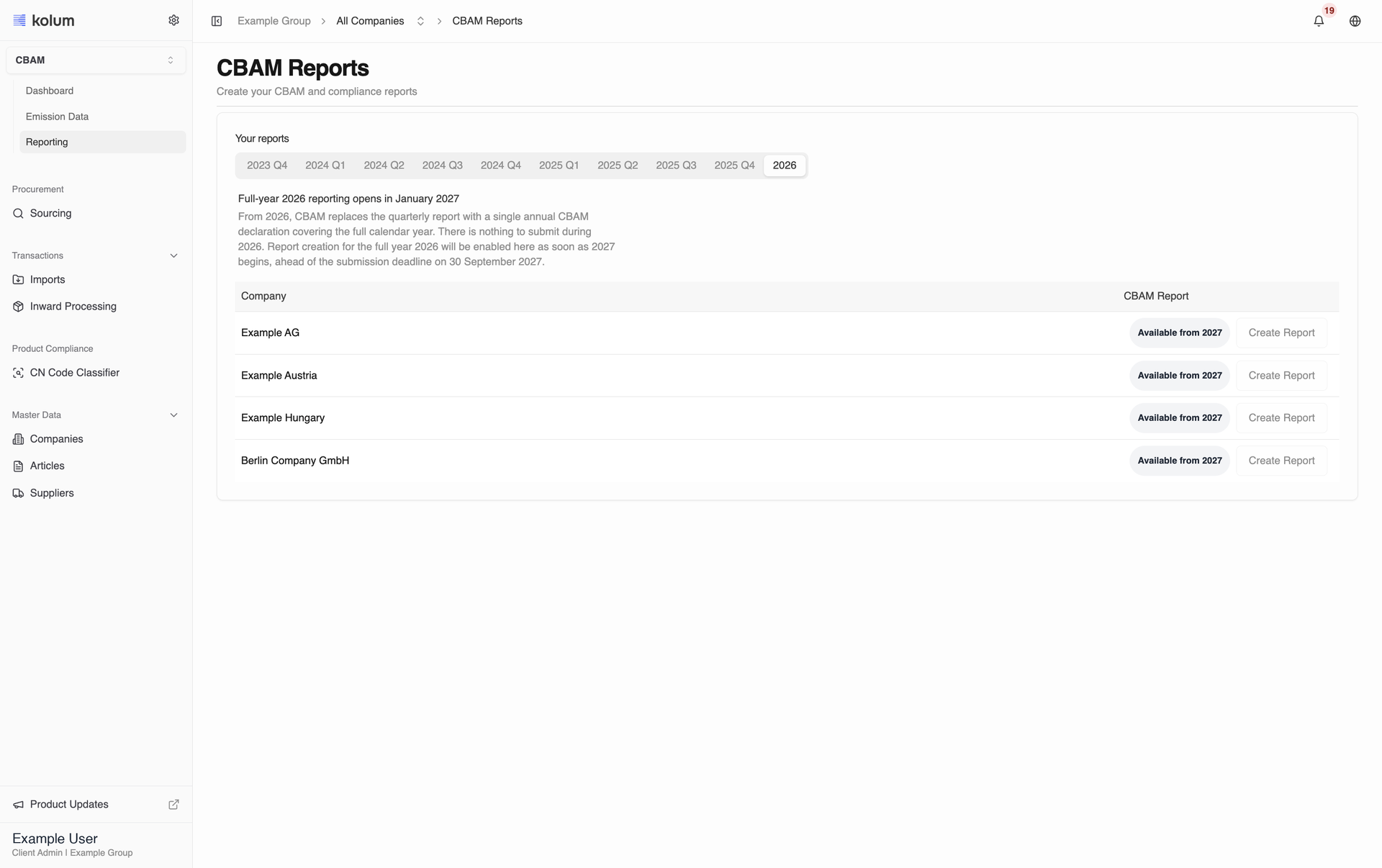
CBAM reporting moves to annual periods
Quarterly CBAM reports end with Q4 2025. The Reports section now shows one tab for 2026, and the first annual report can be created there from 2027, when the definitive period begins.
Product updates and your role, right in the sidebar
The sidebar footer now shows who you are signed in as and your role, together with a pinned Product Updates link. It opens the latest updates in the language you use in kolum, so you always see what is new without leaving your work.
Upload templates right where you need them
Every kolum upload template can be downloaded straight from the onboarding guide, on the step where it is used: companies, production facilities, suppliers, articles, imports and emission data. Each step's field guide now matches the current template columns exactly.
CBAM · EU Companies
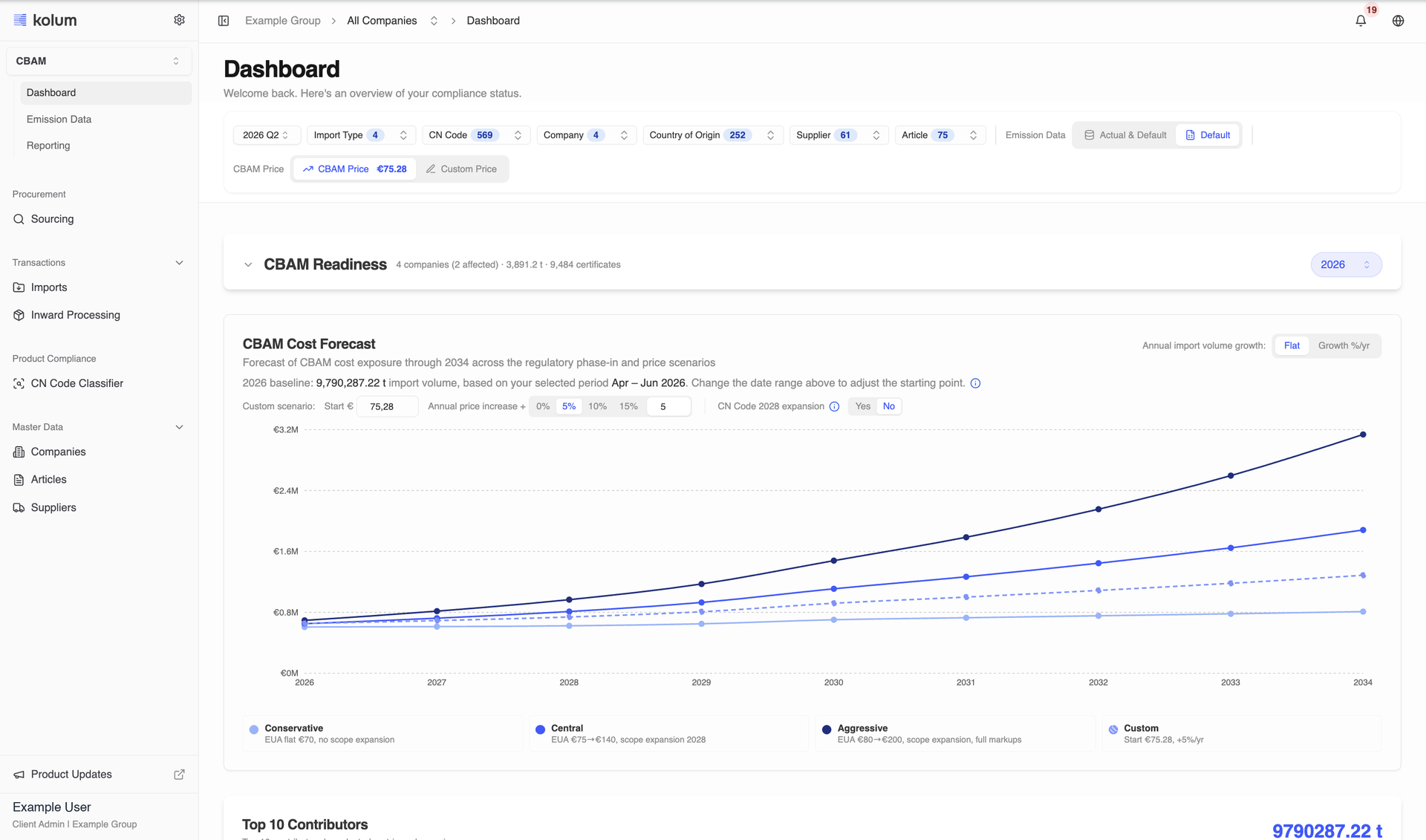
- The CBAM Cost Forecast now builds its baseline on the free allocation you have reported and follows the Dashboard's Emission Data filter, so the projected scenarios line up with the CBAM Costs and CBAM Readiness figures on the same page.Dashboard
- Plan your CBAM budget to 2034: the CBAM Cost Forecast projects your cost exposure across Conservative, Central, Aggressive and your own Custom scenario, with adjustable price and volume growth assumptions and an optional CN Code 2028 scope switch. It is on for CBAM clients by default.CBAM Cost Forecast
- The forecast baseline now builds on the free allocation your suppliers have reported and follows the Dashboard's Emission Data filter, so the projection lines up with the CBAM Costs and CBAM Readiness figures on the same page.CBAM Cost Forecast
August 2026
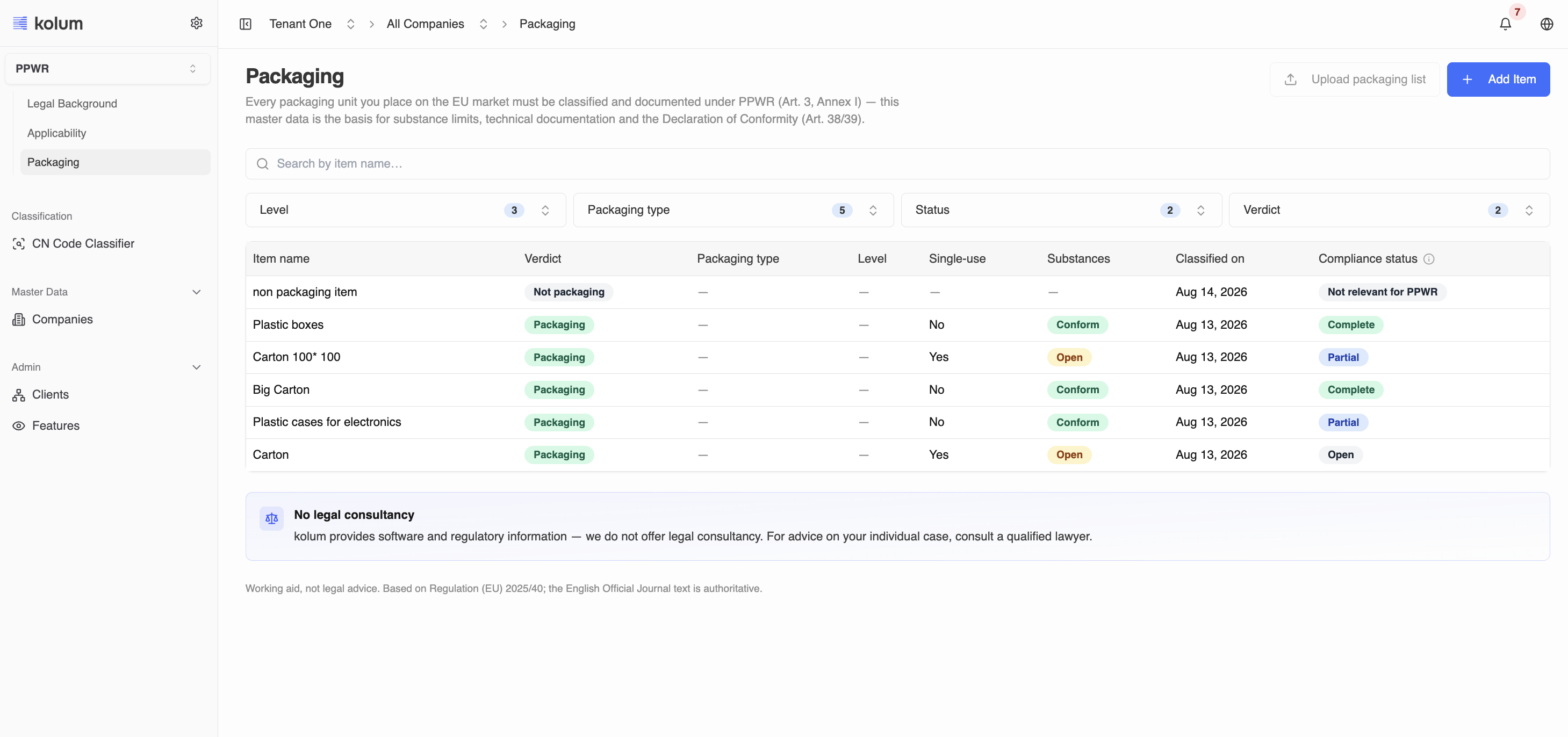
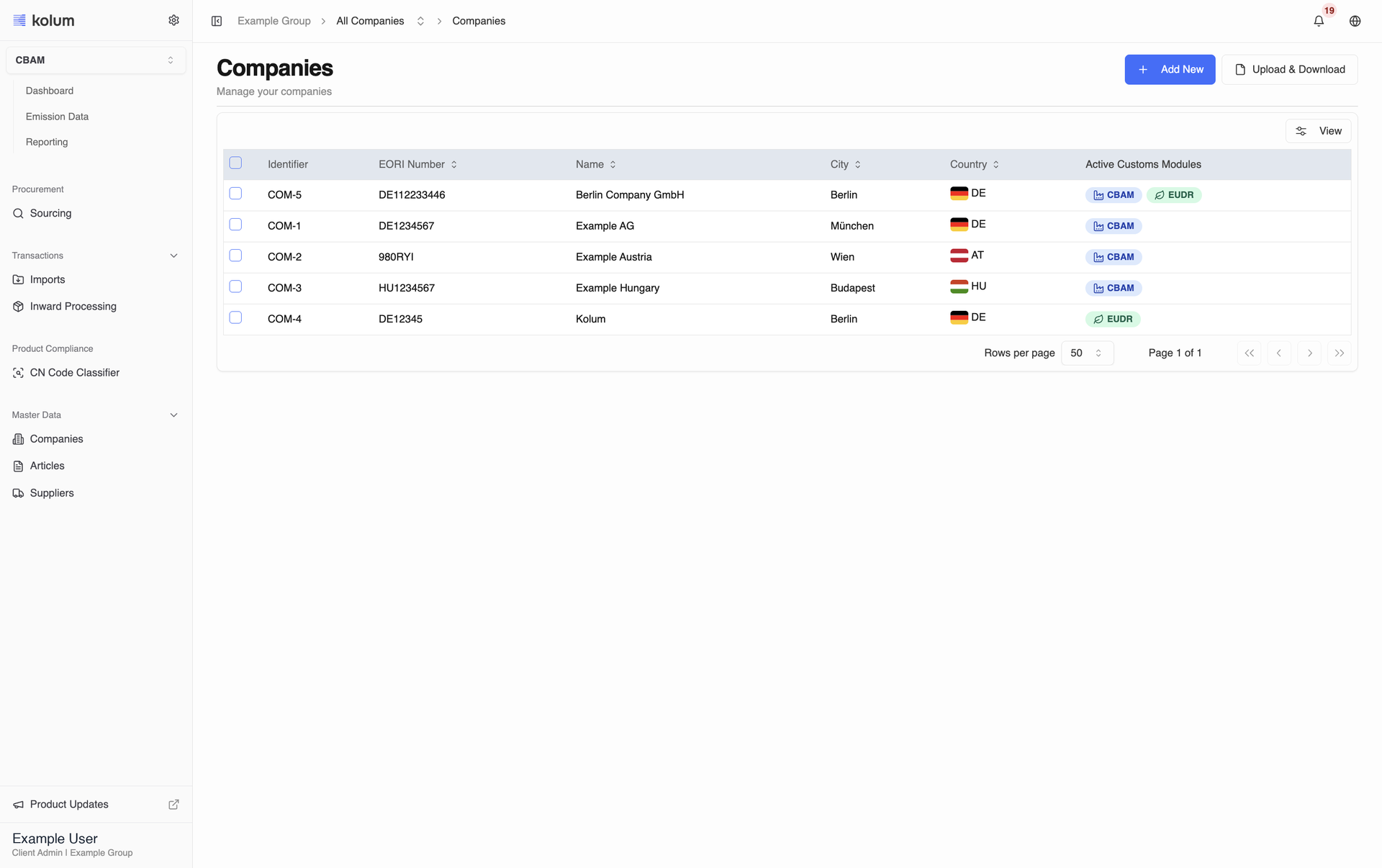
Facilities move onto the company
Production facilities are managed directly on the company in a new Associations tab, where details are editable in place and bulk upload starts from the Companies page. The company Identifier now leads the overview table, and a company can be deleted with a confirmation step.
CBAM cost forecast on the dashboard
The dashboard projects your CBAM costs from 2026 to 2034 across conservative, central, aggressive and custom scenarios, with adjustable certificate price and growth assumptions. CBAM Readiness is now a collapsible table per company showing threshold progress, actual data share and required certificates, switched on for every CBAM client.
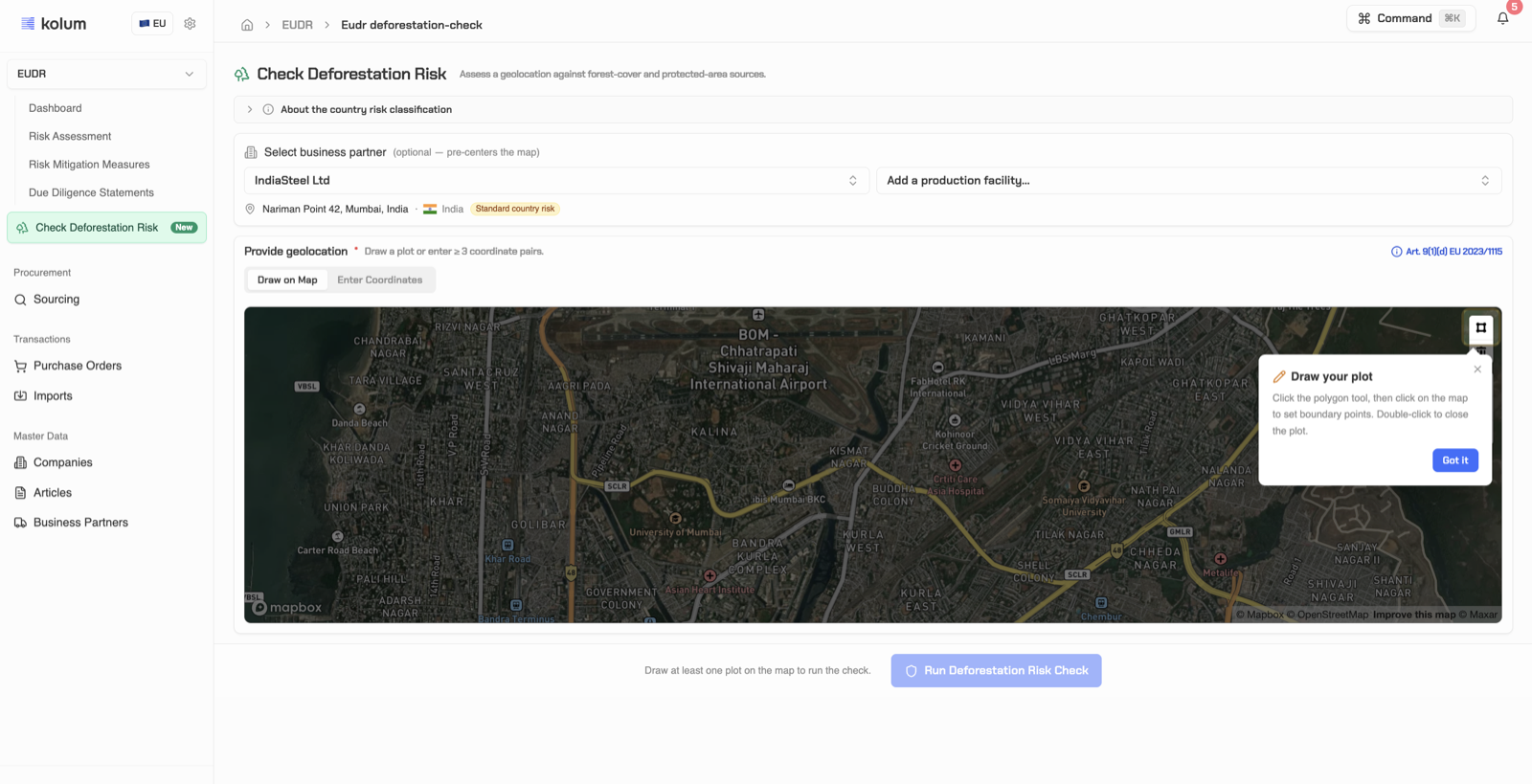
Deforestation risk, from check to mitigation
kolum guides you through the full risk path. See how each plot is evaluated, read what every risk outcome means for your due diligence, and record the measures that bring a flagged plot back to a compliant state.
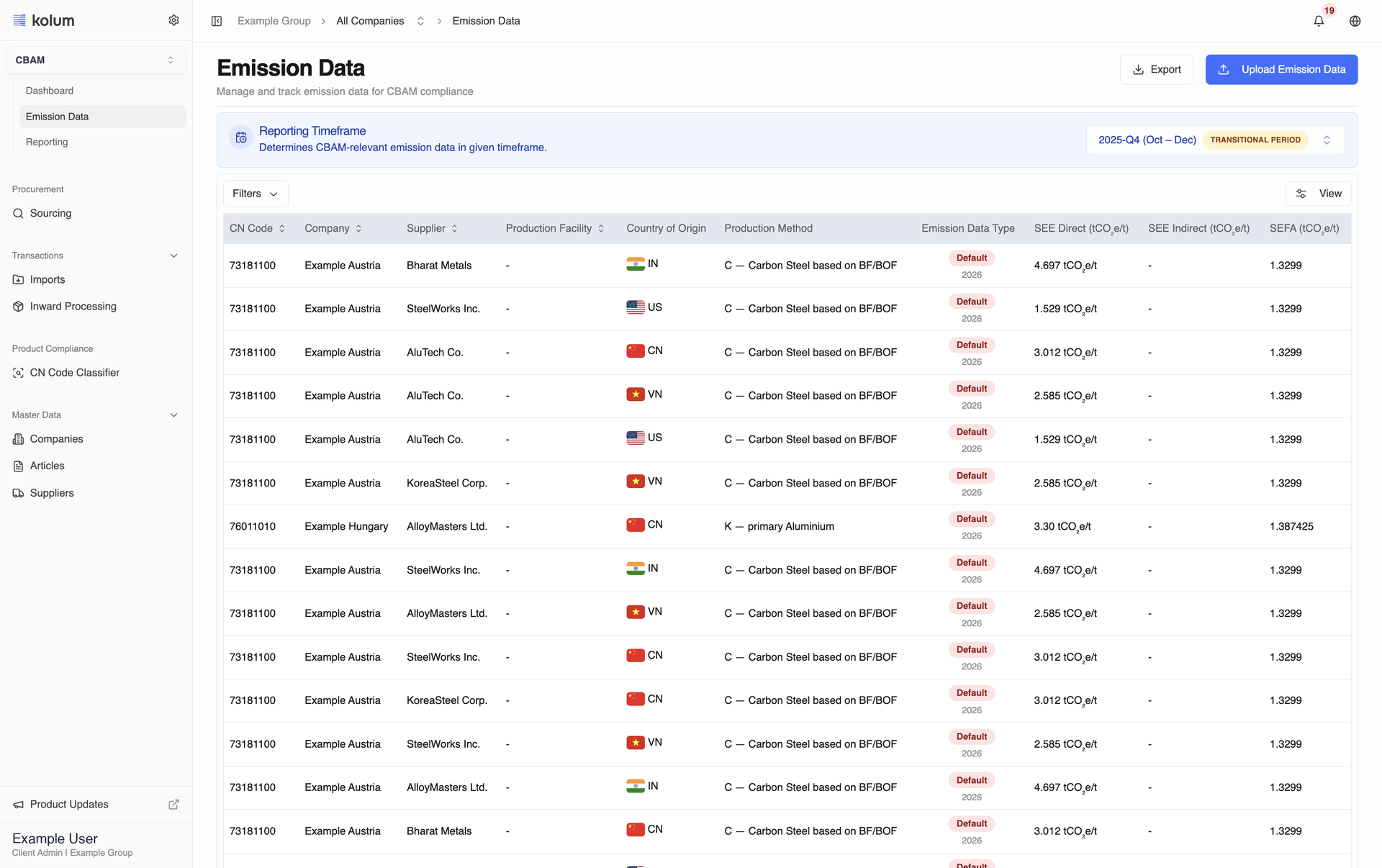
Emission data opens on the period that matters
The Reporting Timeframe now opens on the latest quarter that actually has imports, both for your own data and for each individual supplier. Production routes are limited to those permitted for the CN code, and rows using EU default values show their route and method correctly, including in the compliance export.
A clearer supplier record
Supplier details are organised into General, Associations, CBAM and EUDR tabs and open on the module you are working in. The Identifier is mandatory and checked for conflicts on create, edit and upload, and Supplier Type has been removed from the product.
CBAM · EU Companies
- The Actual Emissions flag in the imports table now derives from the Reporting Timeframe that contains the import date.Manage Imports
- An accepted response only counts when it was accepted within the backfilling window, and a definitive-year entry overrides a forecast entry for the same period.Manage Imports
- In the CBAM compliance export, imports of type Returned Goods with a CBAM-relevant CN code are now treated as CBAM-relevant: their CBAM-Relevant Import Volume (in t) equals the Import Volume (in t) instead of showing 0.Create CBAM Reports
- This applies to every newly generated export.Create CBAM Reports
- File uploads now validate the (CN Code, Production Route) combination for 2026+ rows against the permitted set, rejecting only the invalid rows with row-level errors while still committing the valid ones.Enter Emission Data Directly
- Validation errors now name the failing column, valid production facility IDs and legitimate 0 values in the electricity emission fields are no longer rejected, and the misleading "check table structure" error and its dead-end button are gone.Enter Emission Data Directly
- The Identifier column in the supplier upload template is now mandatory, so rows with a blank identifier are reported as invalid instead of being given an auto-generated value.Bulk Upload SuppliersBulk Upload Suppliers
- An identifier that already exists in your account is rejected as a conflict, which makes repeated uploads of the same file safe, and two rows in the same file sharing a new identifier are now both flagged invalid at preview.Bulk Upload SuppliersBulk Upload Suppliers
- Supplier Type (Trader/Manufacturer) has been removed from the product, so adding a production facility no longer changes a supplier's classification.Suppliers Production FacilitySuppliers Production Facility
- Articles can now carry a net weight per piece with its unit (kg or t), maintained in the General section, in the upload template and in the export, so quantities counted in pieces can be converted to net mass for EUDR.Manage Articles
- The article detail page opens on the section that matches the regulation module you are working in.Manage Articles
- The article form now has a Units & weight area where you can record the net weight of one piece with its unit (kg or t).Add New Article
- It stays optional, converts when you switch the unit, and lets kolum turn piece counts into net mass for EUDR.Add New Article
- The article upload template and export now carry a Net Weight Per Piece and its Measurement Unit (kg or t), so you can maintain the weight of one piece for your whole catalogue in one file and kolum can convert piece counts into net mass for EUDR.Bulk Upload Articles
- You can now maintain an article's net weight per piece with its unit (kg or t) in the General section, and the article detail page opens on the section that matches the regulation module you are working in.Edit Existing Articles
- The article template has two new columns, Net Weight Per Piece and Measurement Unit (kg or t), so you can record the weight of one piece for each article and let kolum convert piece counts into net mass for EUDR.Glossary for Bulk Upload of Articles
- Fill both columns or leave both empty.Glossary for Bulk Upload of Articles
- Production facilities are now added directly from the company they belong to, on the company's Associations tab, and can inherit the company's address.Add New Production FacilityAdd New Production Facility
- The production facilities upload now starts from the Companies page, and uploaded facilities appear on each company's Associations tab.Bulk Upload Production FacilitiesBulk Upload Production Facilities
- A production facility is deleted directly from its detail page with a confirmation dialog, and you land back on the company's Associations tab.Delete a Production FacilityDelete a Production Facility
- Production facilities are edited in place on their detail page, reached from the company's Associations tab, block by block.Edit Production FacilityEdit Production Facility
- The separate edit page is gone.Edit Production FacilityEdit Production Facility
- Uploading actual emission data no longer depends on a matching import: every actual row is saved and shown in the Emission Data table, connected to an import where one fits and unconnected otherwise.Enter Emission Data Directly
- A row that carries both a Production Route and a Production Method is accepted, and kolum simply ignores the value that does not apply to the row's reporting timeframe.Enter Emission Data Directly
- The supplier upload now treats the Identifier as a mandatory key: a blank identifier makes the row invalid, an identifier already in your account is rejected as a conflict instead of creating a duplicate, and two rows sharing a new identifier are both flagged at preview.Bulk Upload SuppliersBulk Upload Suppliers
- Uploading the same file twice no longer doubles your suppliers.Bulk Upload SuppliersBulk Upload Suppliers
- Adding a production facility no longer changes how a supplier is classified: the Trader and Manufacturer supplier types have been removed from kolum, so a supplier is simply a supplier, with its production facilities listed on its record.Suppliers Production FacilitySuppliers Production Facility
CBAM · Non-EU Manufacturers
- Editing a supplier's Identifier is now checked for conflicts: a value already used by another supplier in your account fails with a clear "identifier already taken" message instead of a server error.Edit Existing Suppliers
- The Identifier also cannot be cleared, since it is now mandatory on every supplier, and Supplier Type (Trader/Manufacturer) has been removed from the product.Edit Existing Suppliers
- The Production Route field in the Provide Emission Data panel now only lists the routes permitted for the article's CN code, matching the CN-code-filtered behaviour already documented for traders.Provide Emission Data Directly with kolum
- A changed supplier Identifier is now checked for conflicts when you save: a value already used by another supplier is refused with a clear message, and the Identifier can no longer be cleared.Edit Existing Suppliers
- The Supplier Type (Trader or Manufacturer) has been removed from kolum, so it no longer appears on the supplier page or updates on its own.Edit Existing Suppliers
EUDR · EU Companies
- Articles can now carry a net weight per piece with its unit (kg or t), maintained on the General tab, in the upload template and in the export, so kolum can convert quantities counted in pieces into the net mass a Due Diligence Statement requires.Manage Articles
- Suppliers are managed in one place for CBAM and EUDR: the separate EUDR Business Partners section is gone, old links redirect to the unified Suppliers section, and each supplier's EUDR tab holds its production locations and compliance documents.Manage Suppliers
- The Suppliers list shows a clear kolum Account Status for every supplier.Manage Suppliers
- The article form now has a Units & weight area where you can record the net weight of one piece with its unit (kg or t).Add An Article
- It is optional, converts when you switch the unit, and lets kolum turn piece counts into the net mass a Due Diligence Statement needs.Add An Article
- The article template has two new columns, Net Weight Per Piece and Measurement Unit (kg or t), so you can record the weight of one piece for each article and let kolum convert piece counts into net mass for EUDR.Article Upload Template Glossary
- Fill both columns or leave both empty.Article Upload Template Glossary
- The article upload template and export now carry a Net Weight Per Piece and its Measurement Unit (kg or t), so you can maintain the weight of one piece for your whole catalogue in one file and kolum can convert purchase order piece counts into the net mass a Due Diligence Statement needs.Bulk Upload Articles
- You can now maintain an article's net weight per piece with its unit (kg or t) on the General tab, and the article opens on its EUDR tab when you are working in the EUDR module.Edit An Article
- Suppliers for EUDR are created in the unified Suppliers section with one straightforward form: name, your own identifier, address, a default contact person and optional connected companies.Add A Supplier
- There is no role or supplier type to pick any more.Add A Supplier
- Suppliers for EUDR are uploaded with the same template as for CBAM, from the unified Suppliers section.Bulk Upload Suppliers
- Your own identifier is the key of every row, repeated uploads never create duplicates, and an optional BPN column covers Catena-X.Bulk Upload Suppliers
- Suppliers are edited on one unified record for CBAM and EUDR, tab by tab: master data and contacts on General, production facilities on Associations, and plot geolocation and documents on EUDR, which is preselected while you work in the EUDR module.Edit A Supplier
- A supplier's production locations and compliance documents now live on the EUDR tab of the unified supplier record, with the same map, upload and document actions as before and a collapsible documents block that shows validity, risk category and linked mitigation measures at a glance.Provide Production Locations And Documents
- The supplier template is shared between CBAM and EUDR: your own identifier is mandatory in every row, an optional BPN column covers Catena-X, and there are no role or supplier type columns to maintain.Supplier Upload Template Glossary
PPWR · EU Companies
- Manage a company's production facilities right where they belong: open the company, switch to the Associations tab and add, edit or delete facilities from the Production Facilities block.Add New Production Facility
- Tick Use company address and the facility address stays in sync with the company automatically.Add New Production Facility
- Upload company production facilities straight from the Companies page. Uploaded sites show up on each company's Associations tab.Bulk Upload Production Facilities
- Delete a production facility straight from its detail page and land back on the company's Associations tab.Delete a Production Facility
- Edit a production facility in place: change the name, details or address directly on the facility page, block by block, with no separate edit screen.Edit Production Facility
July 2026
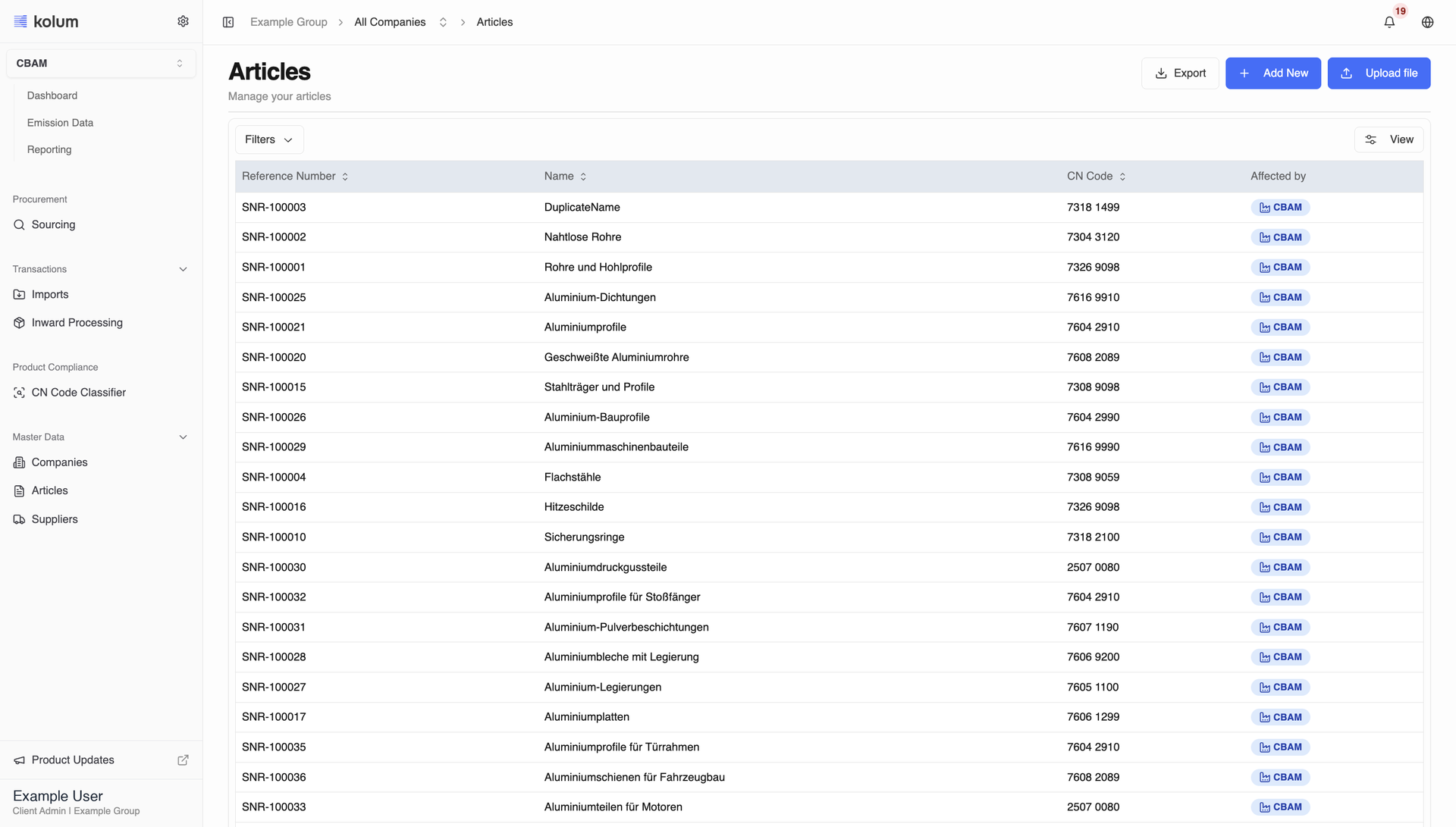
Guided CBAM onboarding
New customers are taken through first setup step by step, from company and facility data to articles, imports and emission data. The guide is available in all eight languages.
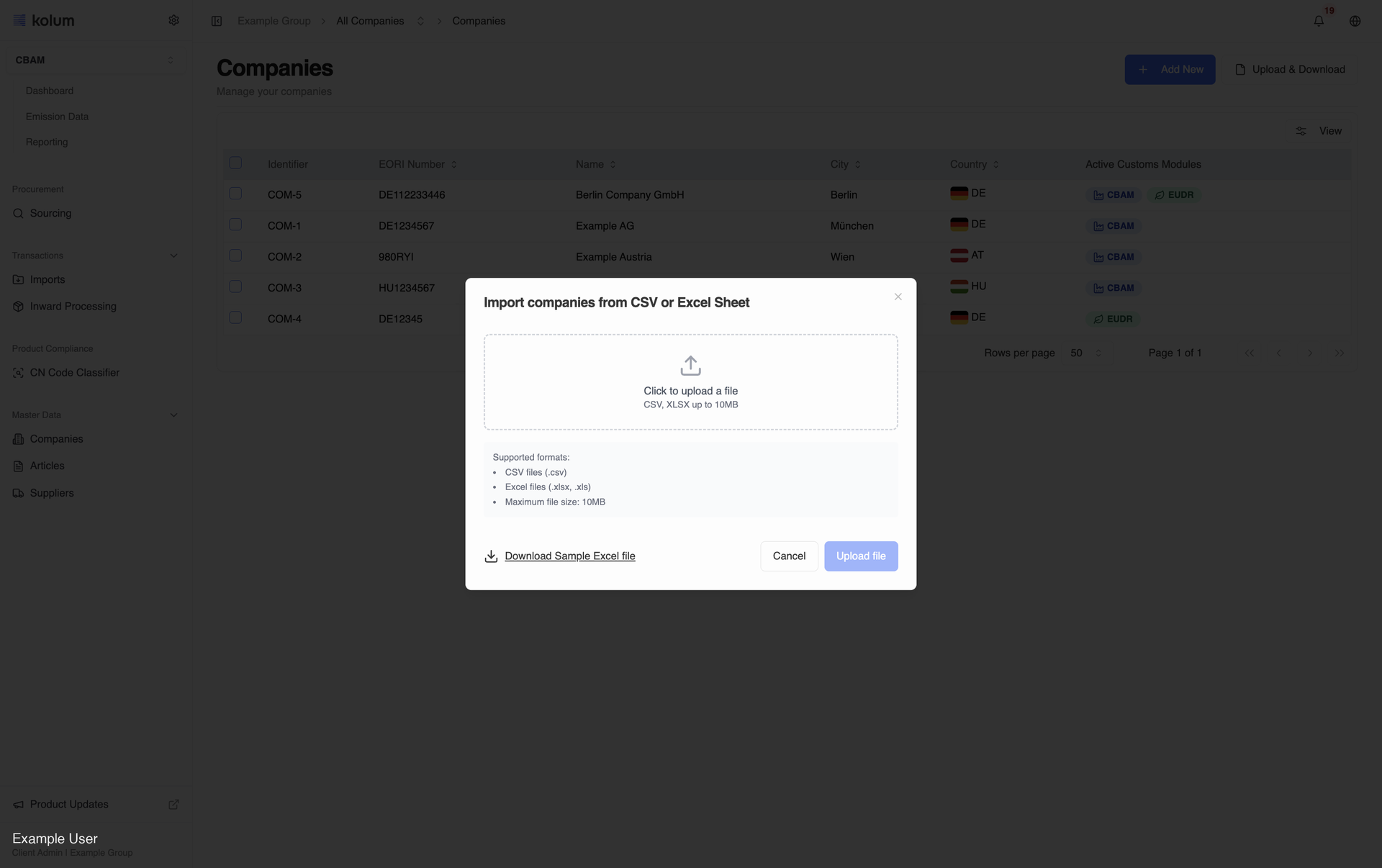
One company upload for every module
Company upload replaces the separate CBAM and EUDR files with one template keyed on a mandatory Identifier, including address fields and optional financials that set a company up for EUDR. Every company also carries an Identifier and an optional Catena-X BPN, and EORI numbers are checked for uniqueness.
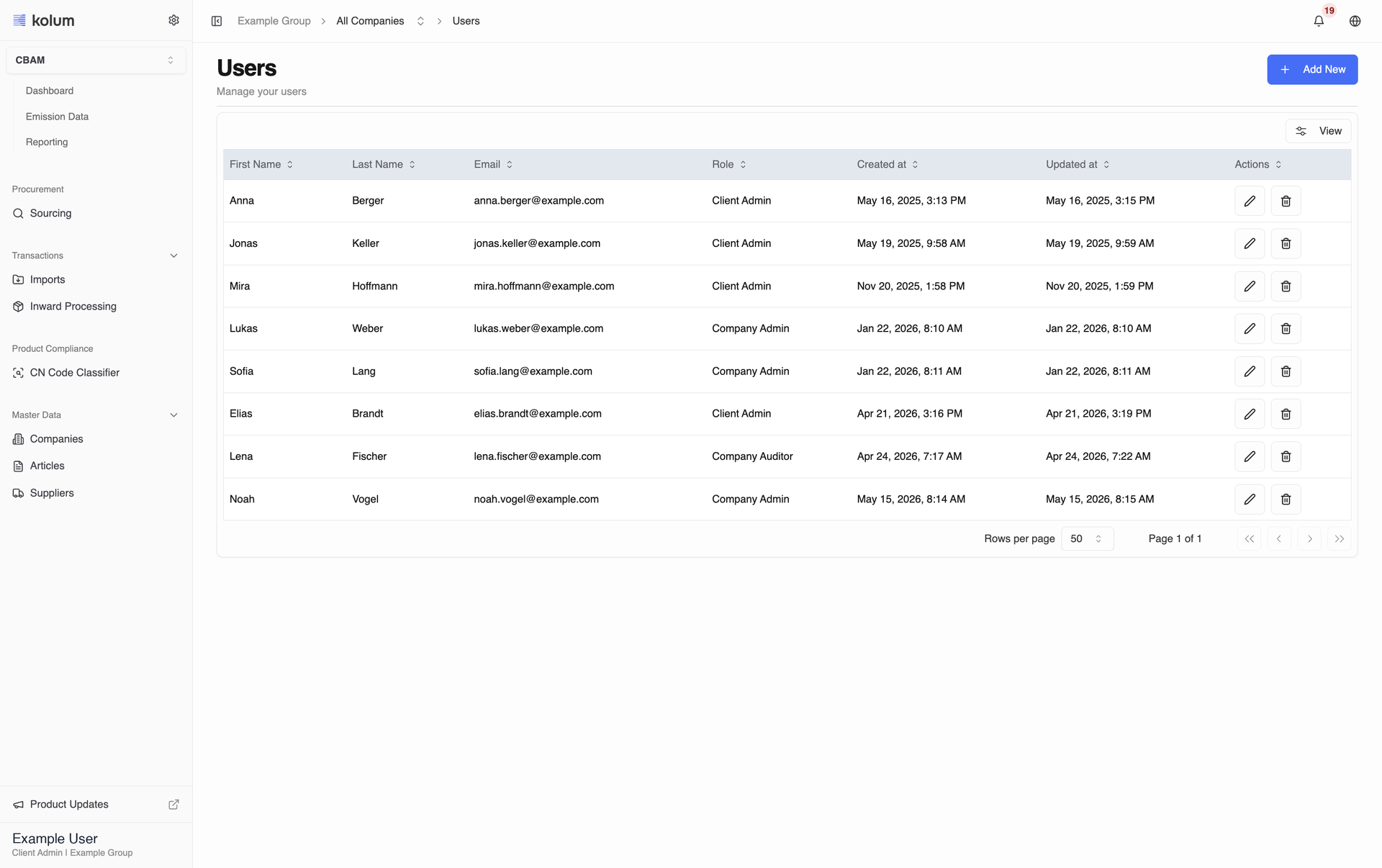
Accounts activated by email
Colleagues are pre-created and receive a kolum activation email that opens a dedicated page to set and confirm their password before signing in. The inviting user becomes Client Admin, and only Client Admins can assign or change roles.
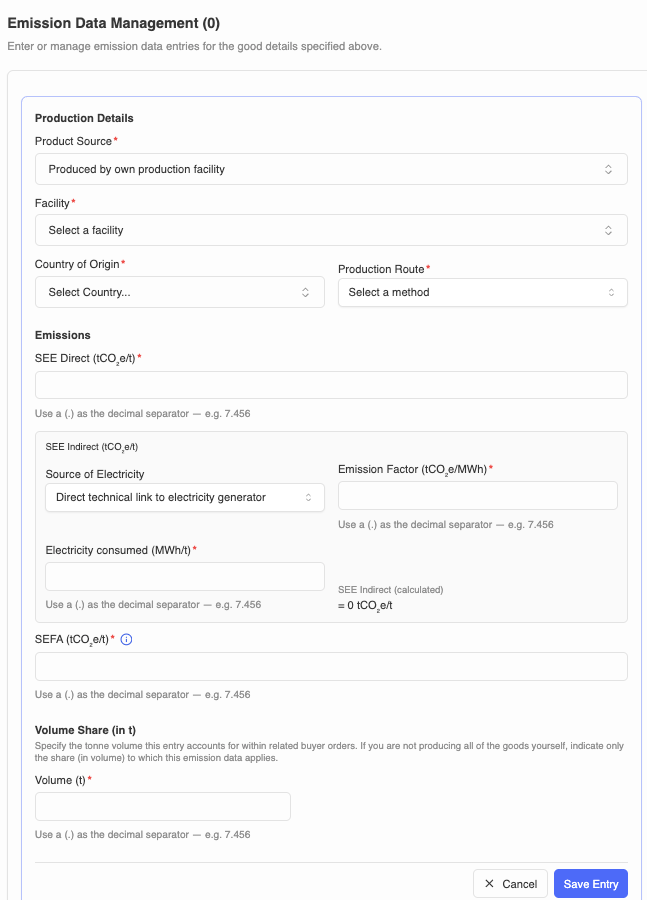
A supplier home for emission data
Suppliers get a dedicated Emission Data page that gathers every buyer request for the selected Reporting Timeframe in one uncluttered view. The form captures emission data per product, so nothing has to be assembled by hand.
Reporting Timeframe across emission data
Manual entry, file upload, trader data and supplier collection all follow the same Reporting Timeframe selector, so you always work inside one clearly defined period. The upload templates carry a Reporting Timeframe column in place of Reporting Quarter.
CBAM · EU Companies
- For calculation years from 2026 onward, the Sourcing comparison identifies goods by Production Route (shown as 'letter — name') in place of Production Method; earlier years keep Production Method.Sourcing
- The sidebar section is now called 'Reporting'.Submit CBAM Reports
- Terminology is aligned to Reporting Timeframe, and the Article field is optional on the create-import form.Add New Imports
- This includes the Advanced Inward Processing (AIP) registrations template.Bulk Upload Imports
- Import upload templates (including AIP registrations) were swapped to new versions.Glossary for Bulk Upload
- Supplier create/edit and the supplier bulk import now include an optional Catena-X BPN field.Add a New SupplierAdd a New Supplier
- The supplier upload template was updated to a new version and now supports an optional BPN column.Bulk Upload SuppliersBulk Upload Suppliers
- The supplier invitation email now identifies the buyer by your company name instead of the supplier name.Invite Suppliers
- If one company is connected it shows that company's name; if multiple companies are connected it shows 'Company X and other customers of yours'.Invite Suppliers
CBAM · Non-EU Manufacturers
- Providing emission data from a buyer profile is now scoped by the Reporting Timeframe selector.Manage Buyers
- The company upload template now includes Company Identifier and Catena-X BPN columns, and EORI uniqueness is validated across the batch.Bulk Upload Companies
- Trader emission-data sharing is now scoped by the Reporting Timeframe selector.Provide Emission Data as a Trader
- Direct supplier-side entry now has a Reporting Timeframe dropdown (shown after you select a buyer); the table is scoped to the selected timeframe with a clearer empty state.Provide Emission Data Directly with kolum
- When providing emission data for a 2026-or-later Reporting Timeframe, the direct-entry form now asks for a Production Route (the permitted A–L routes for the good's CN code, validated against that set) in place of Production Method; earlier timeframes keep Production Method.Provide Emission Data Directly
- The emission data template now carries a Reporting Timeframe column (previously Reporting Quarter).Provide Emission Data via CSV or Excel Sheet
- Requests and the collected data are scoped by Reporting Timeframe, so requesting is time-scoped.Request Your Suppliers to Provide Emission Data